
SUMMARY
Context
The Portal offers SMS reception as a second authentication factor.
What is MFA ?Multi-factor authentication is a security process that requires two or more verification factors to prove a user's identity. Most often, this involves logging into a network, application or other resource without relying on a simple ID + password combination.
Setup
Required: Enter your phone number
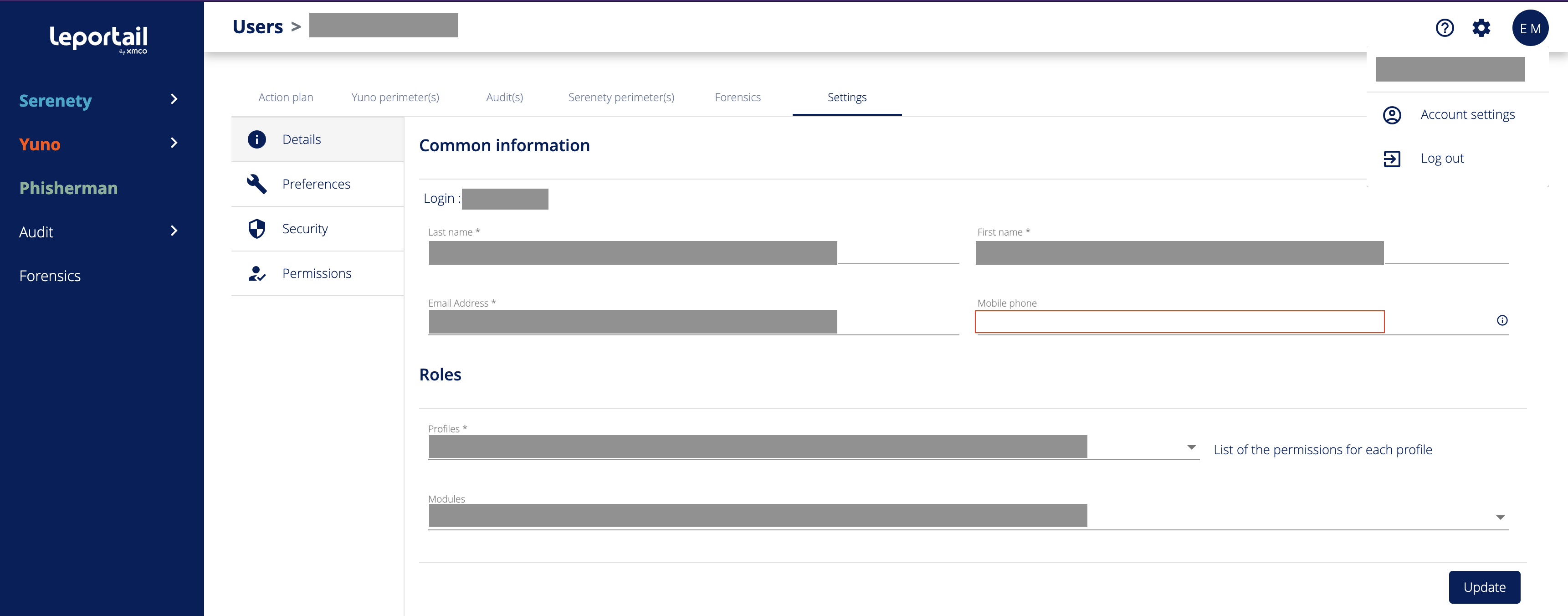
The Portal proposes as a second authentication factor the reception of SMS. For this, it is essential that your phone number is entered in your account information.
For the phone number, the E.164 format is currently used.
- Click on the three small dots next to your name, in the header of the page.
- Go to Settings, then the Details tab
- Edit the "Phone number" field
Step 2 : Enable the MFA option
- Go to Settings, then the Security tab
- Check the "SMS" option in the Second authentication factor section
