
- List of perimeters
- Scopes details
The My Yuno perimeters page allows you to manage the elements relating to your Yuno scopes
List of perimeters
The home page lists the perimeters created within your company.
Scopes and user rights :
The My Yuno perimeters page only displays the perimeters that you, as a user, have the right to view.
Thus, an administrator will have an exhaustive list of all the perimeters created, whereas a regular user (regular_user profile) will only see the perimeters in which he is registered.
Scopes and user rights :
Several information are associated with the different scopes :
1. The name
2. The number of technologies associated with the scope
3. The number of users registered in the scope
4. The number of technical components associated with the scope
5.The number of open action tickets associated with the scope
6. search for a specific perimeter
From this page you can also :
8. delete an existing scope
9. export the list of action plans : you will recover an excel file containing all the action tickets associated with your perimeters (one tab per scope).
10. export the list of scopes: you will recover an Excel file containing :
- a tab summarising the statistics related to your scope (number of scopes, technologies monitored, registered users, etc.)
- a tab for each scope detailing the technologies associated with each scope
Finally, you can quickly access certain characteristics of your scopes :
- The user icon takes you to the list of users registered in the scope
- The technologies icon takes you to the list of technologies associated with the scope
- The technical component icon takes you to the list of technical components in the scope.
Click on the name of the scope to access its details.
Scopes details
The characteristics of the scope are divided into several tabs :
Users tab
This tab groups together all the characteristics of the scopes related to the users associated with the perimeter.
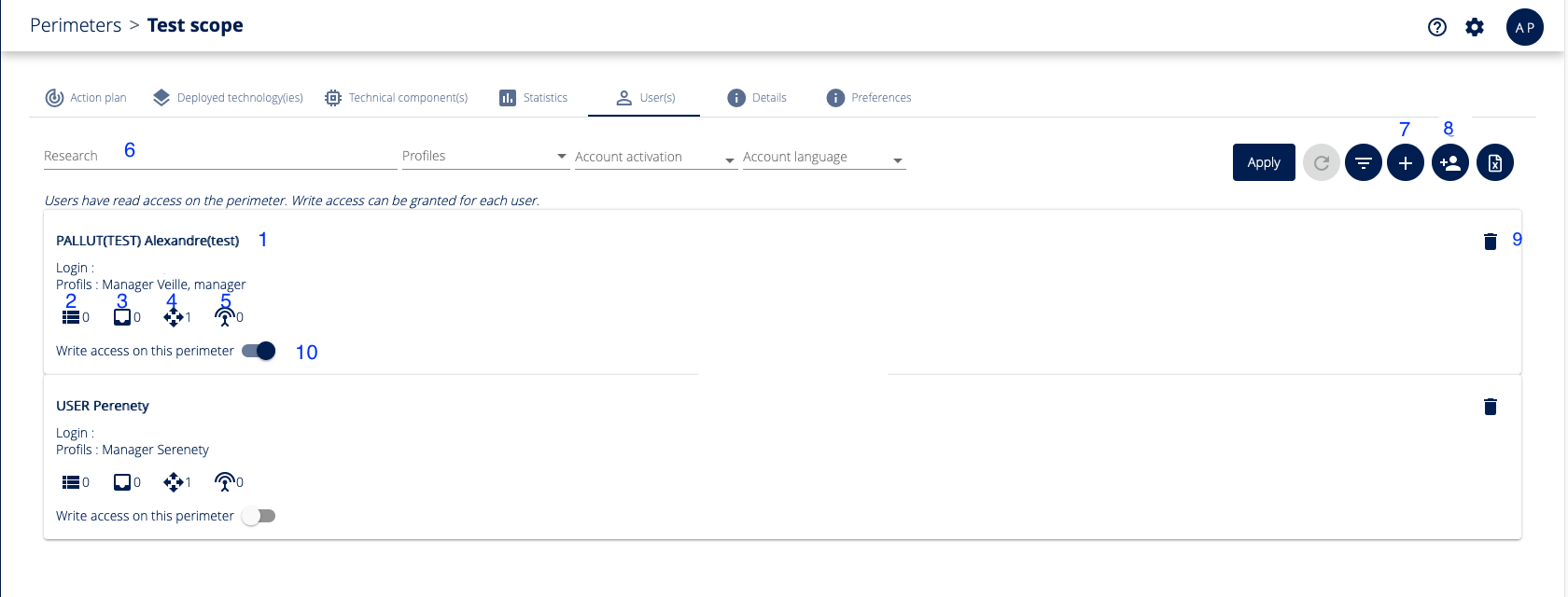
Here you will find the list of users associated with the scopes:
1. The User name
2. The number of associated action tickets
3. The number of scopes in the audit module with which the user is associated
4. The number of scopes in the Yuno module with which the user is associated
5. The number of Serenety module perimeters with which the user is associated
You can also perform the following actions:
6. Search for a user by name
7. Add a user to Yuno
8. Associate a new user with the scope
9. Remove a user from the scope
10. Grant or deny the user write rights to the scope
Finally, by clicking on the user's name, you are redirected to his page
Details tab
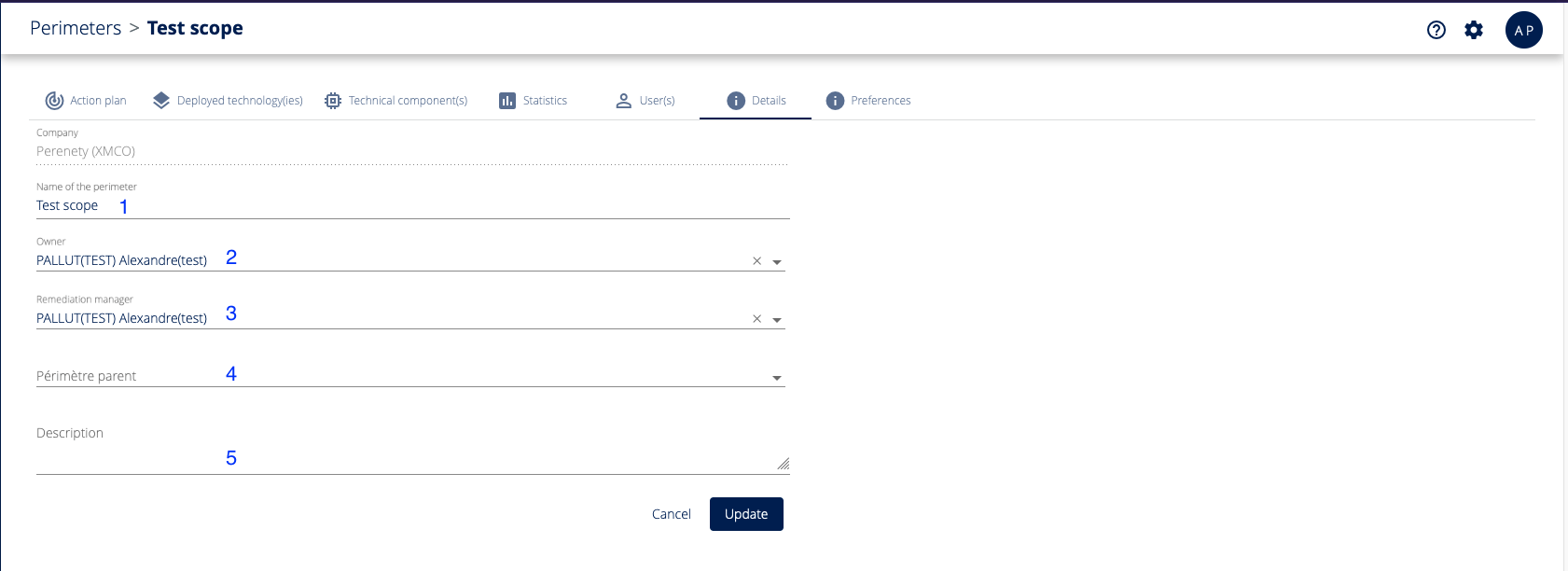
In the details tab, you will find all the information relating to the creation of the perimeter :
1. The name of the perimeter
2. The perimeter owner
3. The remediation manager for the scope
4. The association with a parent scope
5. A potential description of the scope
Preferences tab
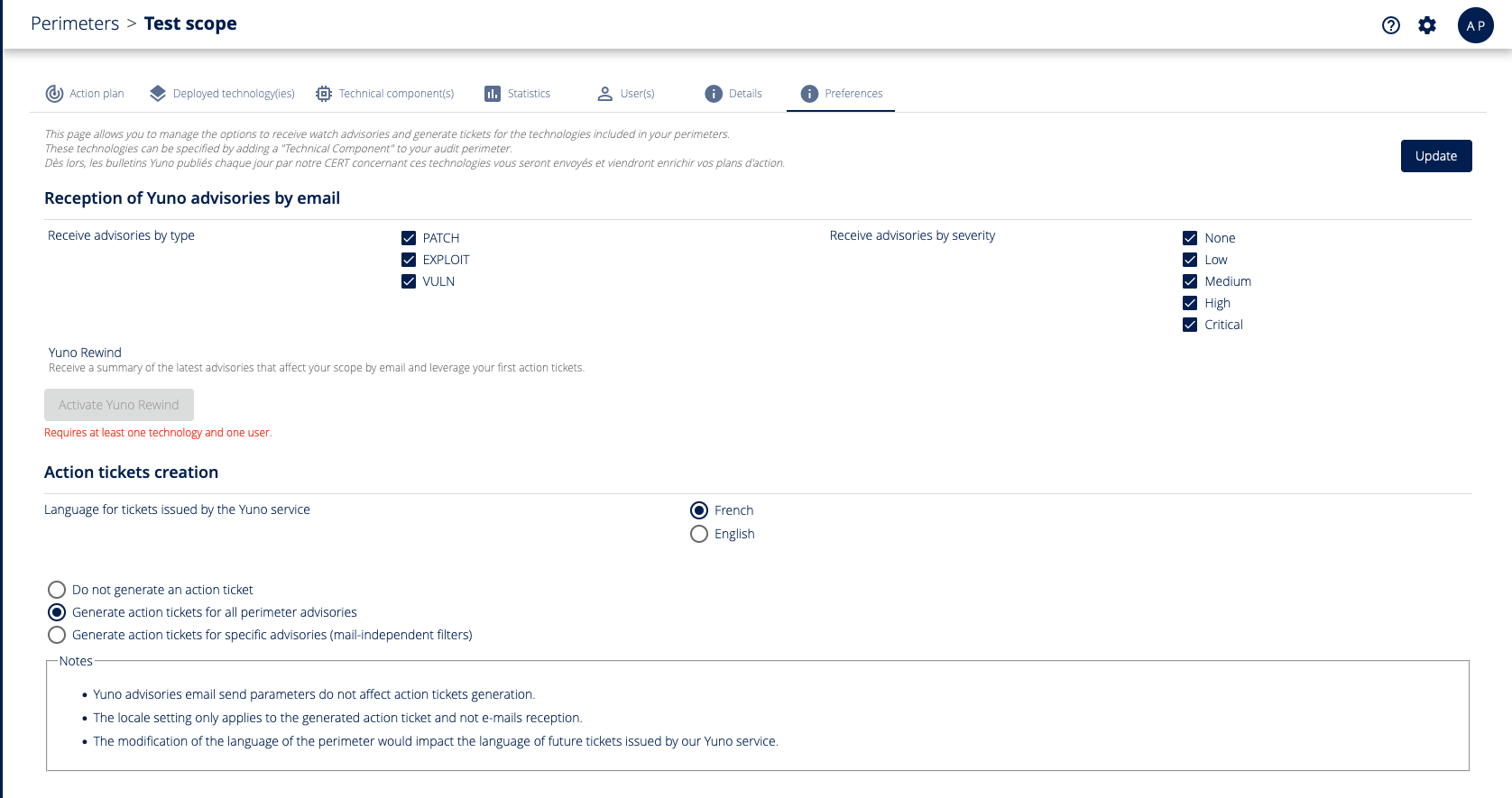
The Preferences tab is used to set up the association of bulletins with the scope and the generation of scope action tickets .
Deployed technologie(s) tab
The deployed technologies tab allows you to determine which technologies you wish to track within this scope.
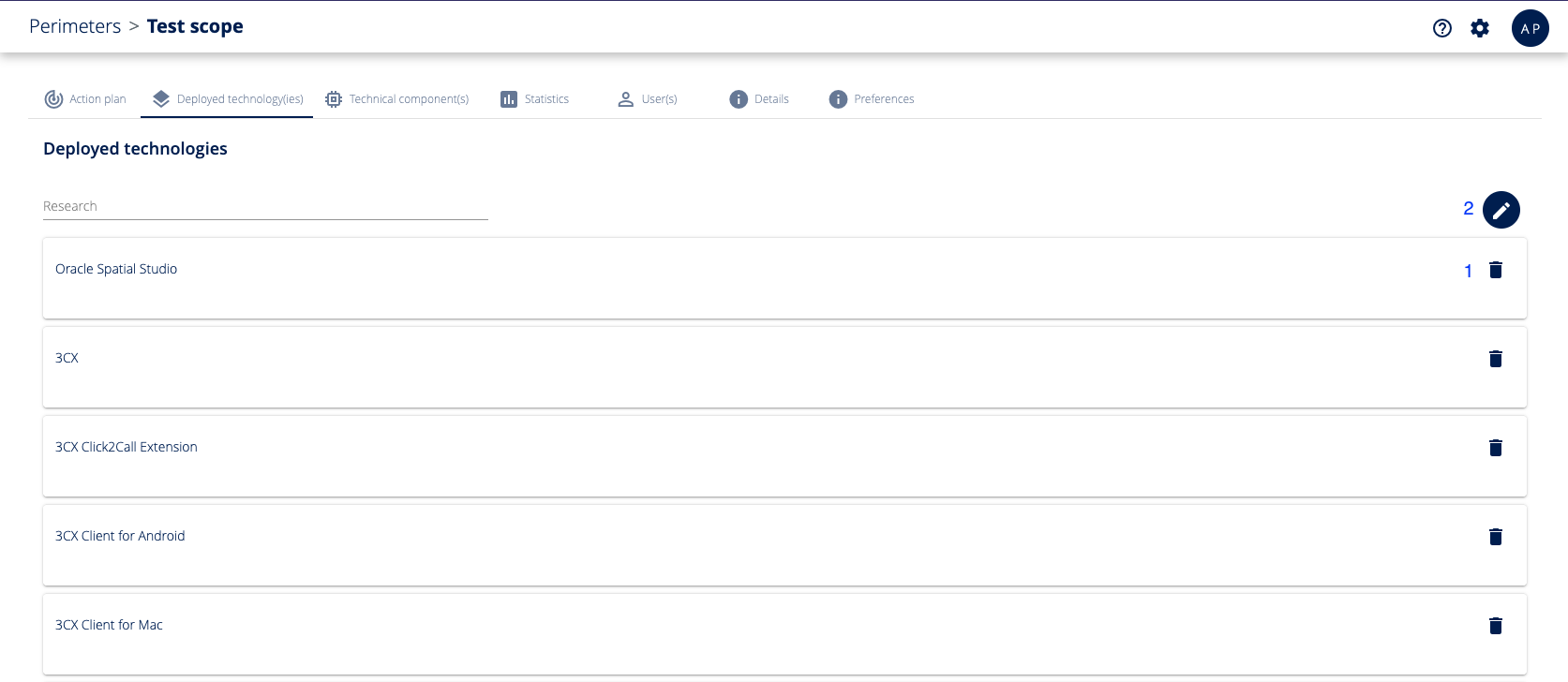
On this page you can consult the list of technologies associated with the scope, but also :
1. Remove technologies from the scope
2. Associate new technologies with the scope
In the add window you will find the list of all the technologies currently monitored by XMCO.
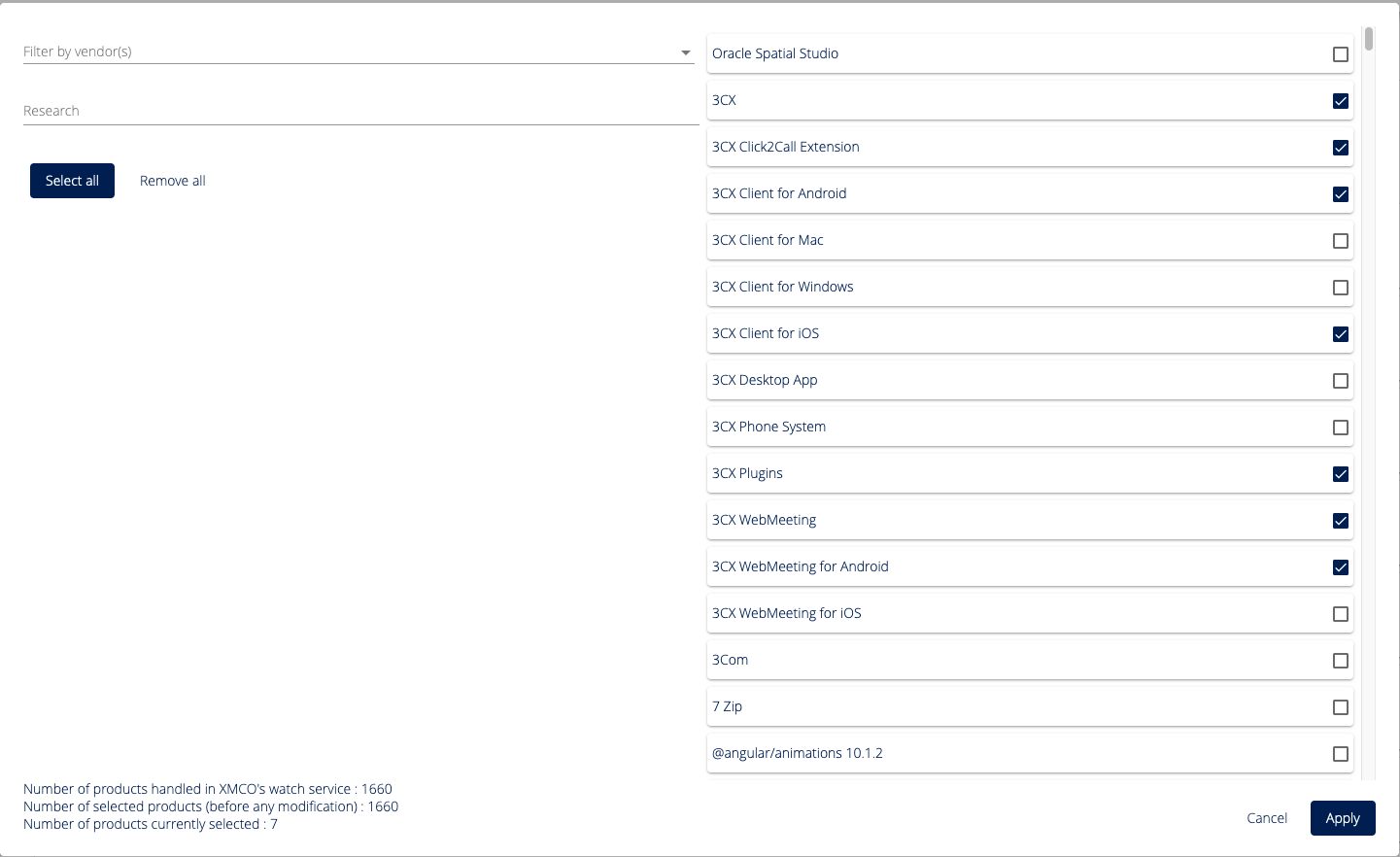
Tick the technologies you want to be associated with your scope.
You can also filter technologies by publisher or by technology name.
- tick all the selected technologies (taking into account the filters)
- uncheck the entire selection of technologies (taking filters into account).
Action plan tab
This tab contains all the action tickets associated with the scope.
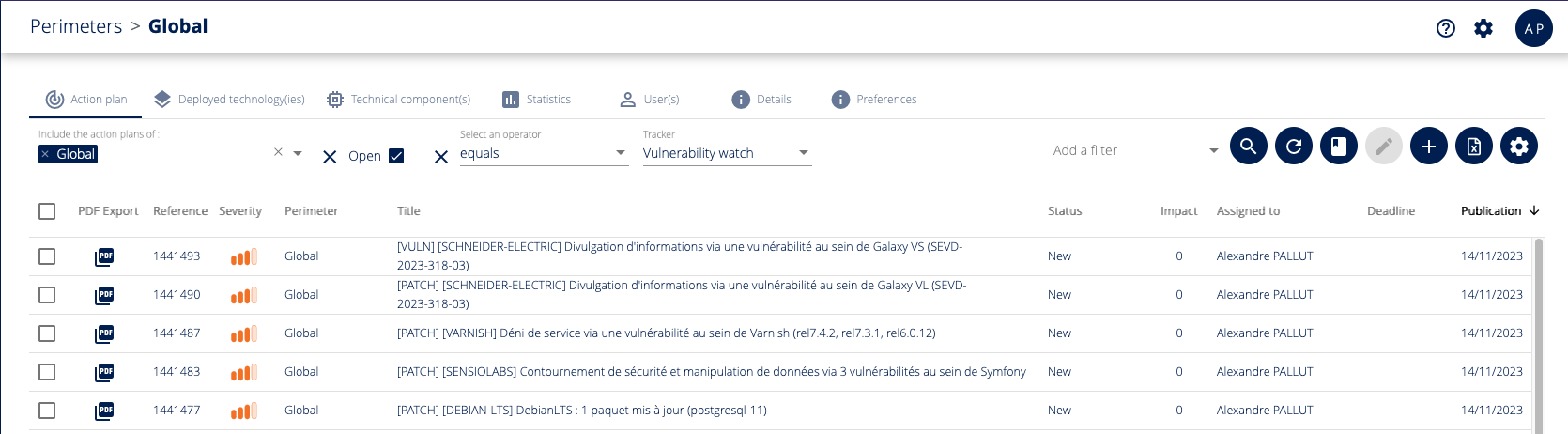 Refer to the Action Plan page for more information.
Statistics
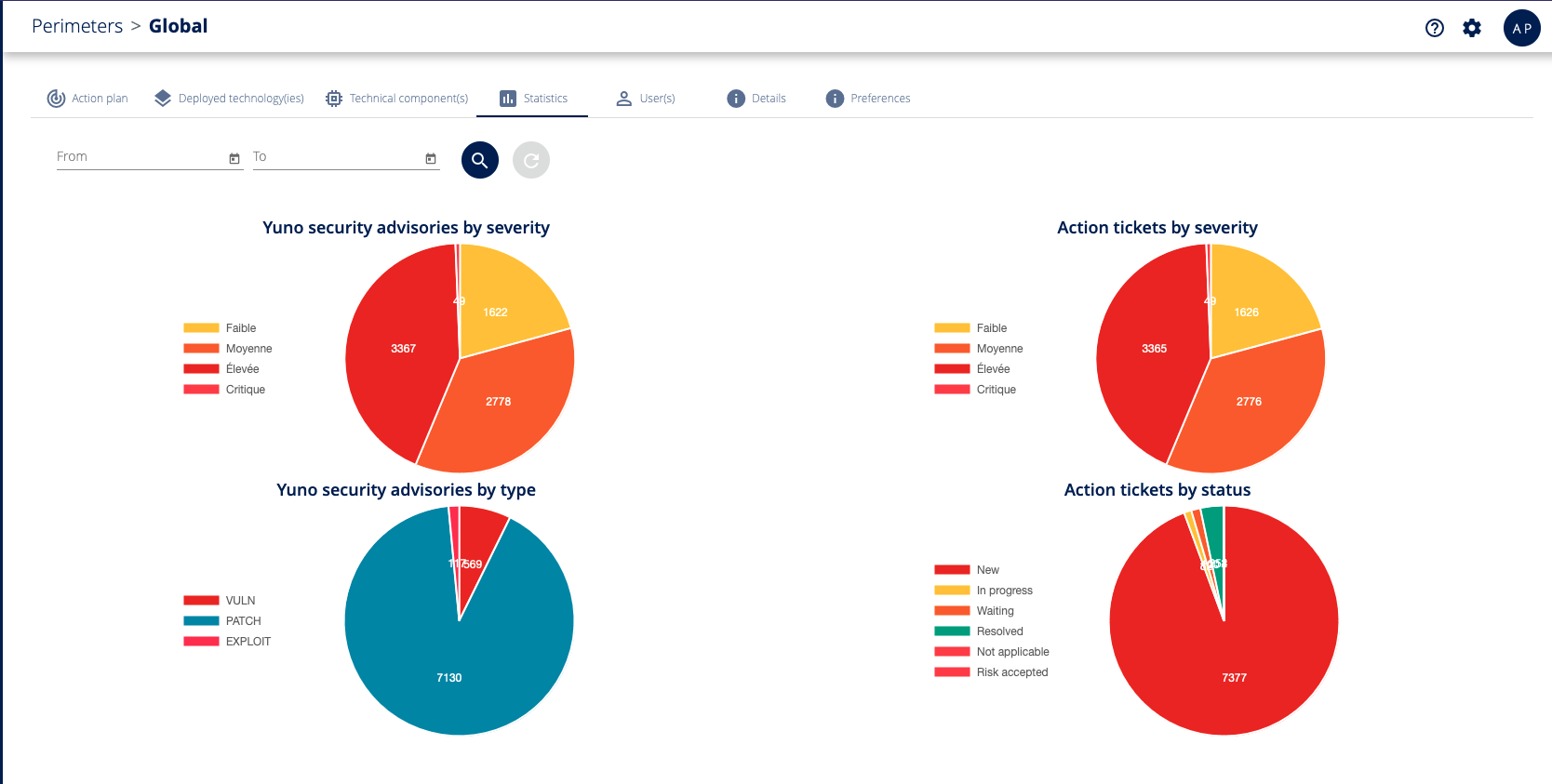
Using the date selector, this tab contains statistics on the following information :
- Yuno bulletins associated with the scope, created during the selected period, broken down by criticality.
- Yuno bulletins associated with the scope, created during the selected period, broken down by type.
- Action tickets associated with the scope as they were during the period, broken down by criticality. Thus, you can estimate how many critical action ticket were present from january to august 2022.
- Action tickets associated with the scope as they were during the period, broken down by status. Thus, you can estimate the quantity of "accepted risk" tickets from january to august 2022.